Dog Breed Guide
Golden Retriever to Anime — How to Transform Your Dog's Photo
A breed-specific guide to transforming Golden Retriever photos into Japanese anime, Studio Ghibli, Pixar 3D, and family animation portraits.
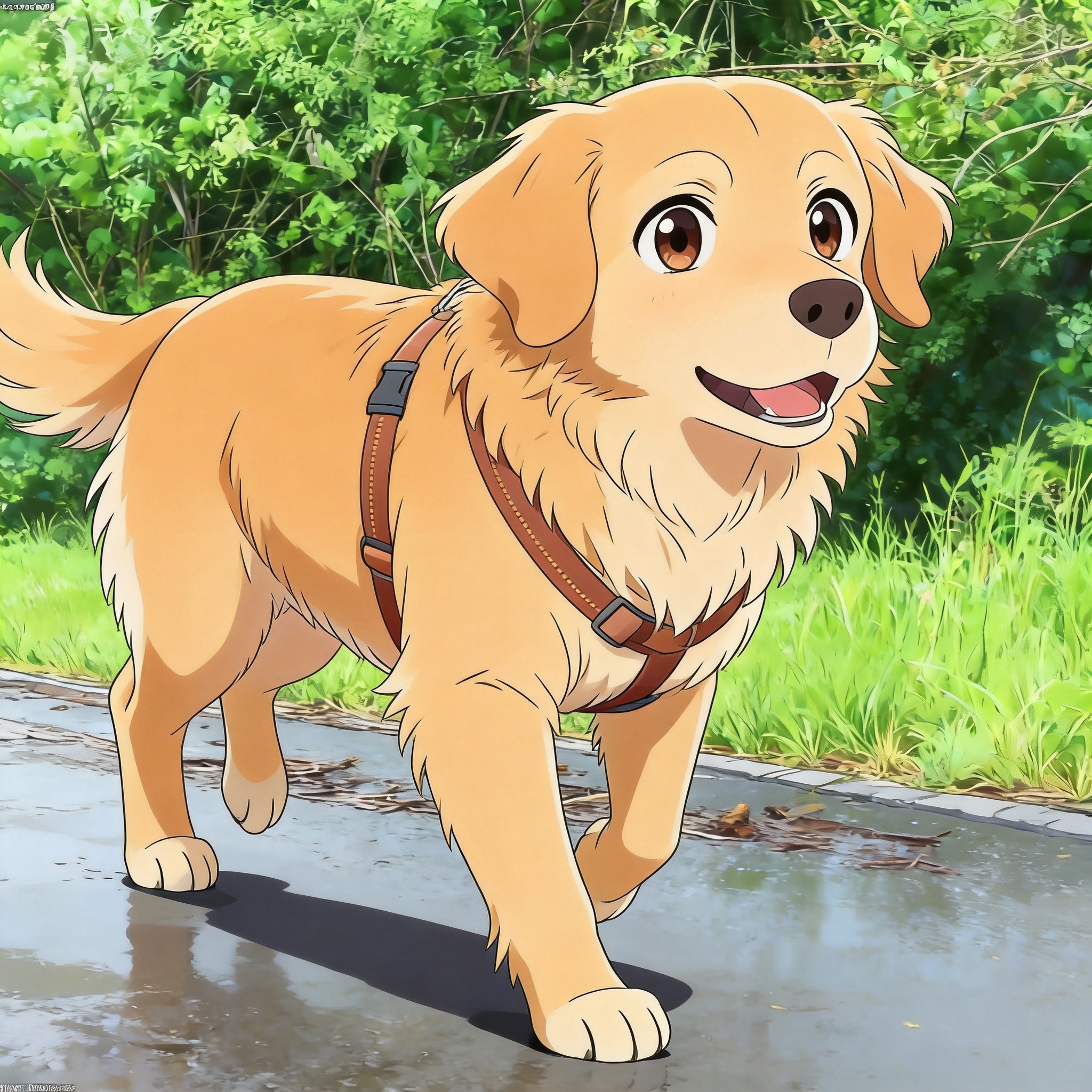
Why Golden Retrievers Translate Well to Anime
Golden Retrievers have a long, flowing double coat in cream to dark gold shades. That coat is the breed's defining visual feature, and it gives the AI a rich fur texture to work with — strands catch light, drape over the body, and move with the dog. In anime form, this fur translates into visible coat direction, soft highlights, and breed-readable warmth.
Their expression also helps. Goldens have a relaxed mouth line, dark eyes set wide apart, and a friendly brow angle. These features map onto anime's vocabulary of warm, approachable character designs. The model does not have to invent expression — the source photo already provides it.
Most Golden Retriever photos complete in roughly 20 seconds. You upload one photo, pick a style, and receive four anime variations of that single image. Standard-resolution downloads are free for the first image; HD downloads start at 5 credits. New accounts get 5 free credits on signup, and additional credits come in packs of 50 for $5 or 150 for $15.
This guide covers Golden Retriever-specific photo tips, style selection, and common questions. For real results from Golden Retriever photos, see the Golden Retriever anime example. For comparison across breeds, see the Husky to Anime and Poodle to Anime guides.
Why Golden Retrievers Suit Anime Translation
Long flowing fur
The double coat moves with the dog and catches light in visible strands. This translates into anime as directional fur lines and soft highlight bands — far more readable than short-coated breeds.
Warm gold palette
Cream to dark gold coat colors sit naturally in anime's warm palette. The model does not need to shift the source color much, so the result reads as the same dog rather than a recolored interpretation.
Friendly expression
Dark eyes, relaxed mouth, and a wide brow angle give the AI a clear "warm character" template. Anime Goldens tend to look like the family-friend character in a slice-of-life series.
Recognizable silhouette
Broad skull, medium-length muzzle, feathered legs, and a thick tail carried at knee height. This silhouette is distinct enough that the anime output reads as Golden rather than generic retriever.
Best Anime Styles for Golden Retrievers
PetToAnime supports four styles — anime, Ghibli, Pixar 3D, and family animation. Each style suits this breed for different reasons.
Studio Ghibli
Golden Retrievers' flowing fur translates cleanly into Ghibli's watercolor warmth. The soft fur edges and nostalgic lighting match the breed's calm temperament — think of the dog in Whisper of the Heart.
Japanese anime
Cel-shaded lines define fur direction and feathering sharply. Best when the source photo has strong side light that the model can reproduce as crisp highlight bands on the coat.
Family animation
Bright friendly proportions match the Golden's personality. Suits photos of Goldens playing or smiling where the temperament is the focal point of the image.
Pixar 3D
Glossy studio lighting turns the coat into a character-rig-like render. Works best on Goldens with fresh grooming where the fur lays in clean waves rather than flyaway strands.
Golden Retriever Anime Example
The Golden Retriever anime example shows a real photo transformed into all four styles. Use it to judge how the AI handles feathered leg fur, the breed's signature tail, and the gold coat color before uploading your own Golden.
Photo Tips for Golden Retrievers
- 1
Shoot during golden hour (an hour after sunrise or before sunset). The warm low light catches the coat's gold tones and produces anime output with rich, accurate fur color.
- 2
Capture the dog in slight motion — walking or with the tail mid-swing. Feathered leg fur and tail movement translate into dynamic anime fur lines that a static pose cannot match.
- 3
Get down to eye level. Top-down photos of Goldens flatten the broad skull into a generic shape; eye-level photos preserve the breed's friendly brow and dark eye expression.
- 4
Avoid strong backlight. Golden fur against a bright window turns into a silhouette and the AI loses fur detail. Use side light or front light instead.
- 5
Show the tail fully in frame. The thick feathered tail is a key Golden identifier — cropping it off produces a generic long-coated dog rather than a clear Golden Retriever.
Frequently Asked Questions
How do I keep the gold coat color accurate in the anime version?+
Use natural daylight and avoid white-balance shifts in the source photo. If your photo looks gold to your eye, the AI usually reproduces it accurately. Indoor tungsten light tints fur orange; fluorescent light tints it green. Shoot outdoors or near a window for the truest color.
Which style is best for a Golden Retriever?+
Ghibli style is the most natural match. The watercolor warmth handles the long flowing coat better than cel-shaded lines, and the palette suits the breed's gold color. Anime style is a close second if you want sharper fur definition.
Do puppy photos work as well as adult Golden photos?+
Yes, and the result is often more expressive. Golden puppies have proportional oversized paws and ears that translate naturally into anime style. Just make sure the photo is sharp and the puppy fills most of the frame.
Can I include multiple Goldens in one photo?+
You can, but the result is less reliable. The model tends to focus on one subject and the second dog may render with blended markings. For the best result, upload a single-dog photo. You can generate separate anime versions for each dog and combine them yourself.
How much does an HD Golden Retriever anime download cost?+
HD downloads start at 5 credits. New accounts get 5 free credits on signup, enough for one HD download. Additional credits come in packs of 50 for $5 or 150 for $15. Standard-resolution downloads are free for the first image.
What if my Golden has a very light cream coat?+
Light cream Goldens need slightly more contrast in the source photo. Photograph in soft side light so the fur has visible shading. A flatly-lit cream Golden can render as a single pale shape with lost fur detail in the anime version.
Turn Your Golden Retriever into Anime
Upload one photo, pick a style, and get four anime variations in about 20 seconds. First image free.
Upload Your Dog PhotoRelated Breed & Style Guides
Explore more breed-specific guides and anime style references
PetToAnime
PetToAnime