PetToAnime Example
Corgi Anime Example — Pixar 3D Before & After
A short-legged Corgi reimagined as a glossy Pixar 3D character with cinematic studio lighting and oversized expressive eyes.

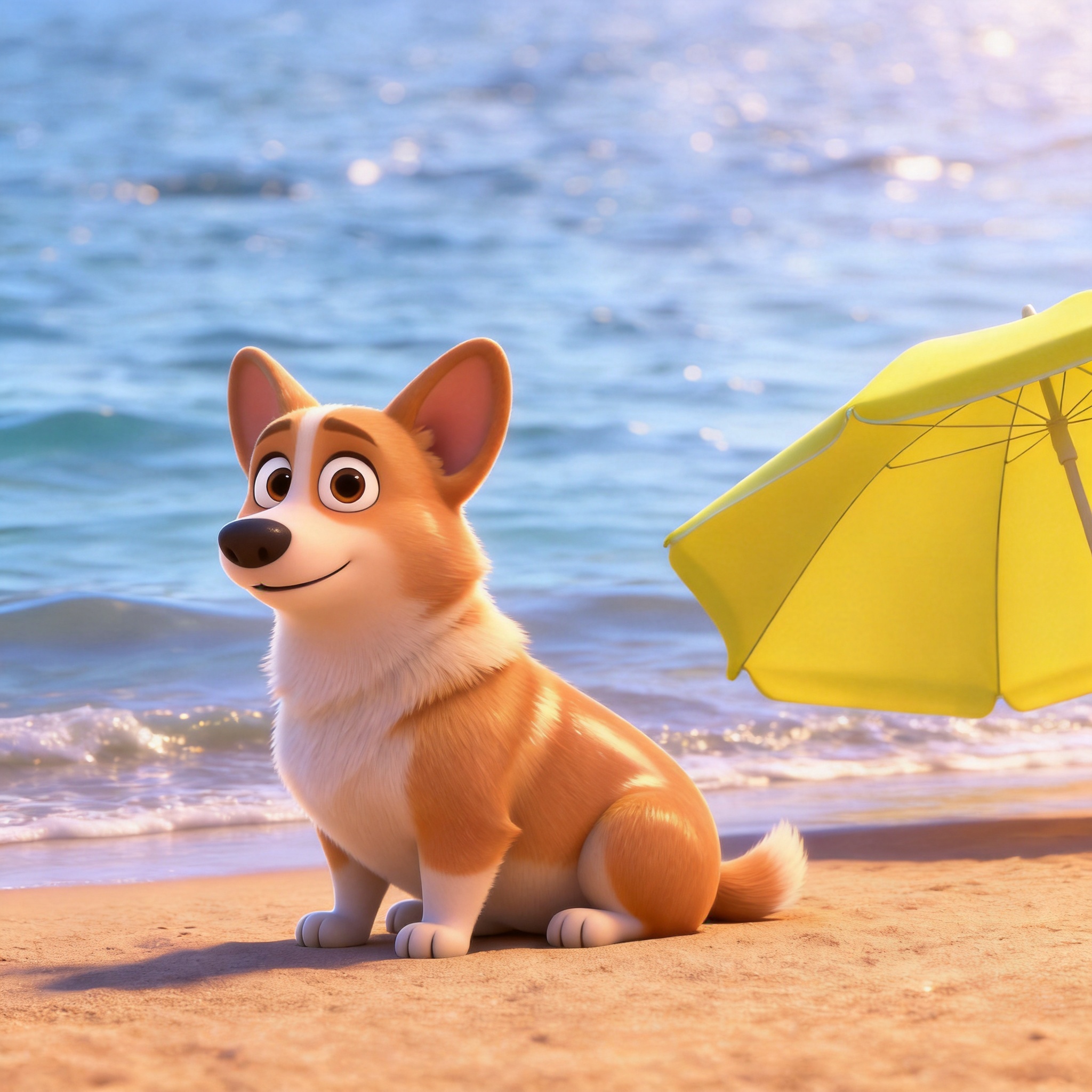
Hover the corgi case in the gallery to compare side-by-side. Generation took about 20 seconds.
Why Corgis Are Built for Pixar 3D Style
Corgis have one of the most recognizable silhouettes in the dog world — long body, short legs, huge ears, perpetual smile — and the before/after on this page shows what happens when that silhouette meets Pixar's 3D character-design language. The original photo captures a Corgi standing at eye level on a clean floor, with the breed's fox-like face and oversized ears clearly visible. After processing, the same dog gains dimensional fur volume, studio-grade cinematic key light, and the kind of expressive animation eyes that read as a polished character from a feature film.
The reason Pixar 3D style works so well on Corgis is the breed's natural character-design proportions. The short legs, oversized ears, and rounded body shape already look animated in real life; 3D shading adds the dimensional volume and subsurface fur that real photos can't capture. The breed's perpetual smile translates cleanly into the stylized eye and mouth expressions that define Pixar character design.
This page shows the exact AI prompt used for this Corgi example, breaks down why Pixar style suits the breed specifically, gives five photo tips for reproducing a similar result, and answers common questions about generating Corgi anime portraits. For comparison with anime style on a different breed, see the Shiba Inu Anime Example.
How PetToAnime Turns Your Corgi Into a Pixar Character
- 1
Upload one photo of your Corgi
Upload a single clear photo from your phone or computer. A full-body shot at eye level with the breed's short legs and upright ears visible produces the best Pixar result, but any well-lit photo works — PetToAnime handles ordinary smartphone images, no professional equipment required.
- 2
AI analyzes the photo and applies Pixar 3D style
PetToAnime's model identifies the Corgi's key features — body proportions, ear shape, coat color, facial expression — and layers Pixar-specific cues (subsurface fur shading, oversized expressive eyes, warm cinematic key light) while preserving the dog's identity. Processing takes about 20 seconds.
- 3
Receive four style variations in parallel
The AI returns four style variations at once: anime, Ghibli, Pixar 3D, and family-animation. Each variation keeps your Corgi's identity but applies a different visual language, so you can compare looks side by side and pick the one that suits your dog best.
- 4
Preview all four variations for free
Preview every variation at no cost before deciding which to download. The preview images are detailed enough to evaluate composition, eye expression, and style fidelity. Most users spot their favorite style within seconds of comparing the four results.
- 5
Download your favorite in HD
Download your chosen variation in HD (4K resolution, suitable for printing up to 8×10 inches). The first HD download of any image is free. Subsequent HD downloads cost 5 credits each — new accounts receive 5 free credits on signup, enough for one HD download.
Understanding Pixar Style: 3D Cinematic Polish
Pixar Animation Studios pioneered the look that defines modern 3D animated feature films. Unlike cel-shaded anime or watercolor Ghibli, Pixar style is fully dimensional — characters are modeled in 3D space, lit with cinematic key and fill lights, and rendered with physically-based shading that simulates how light interacts with surfaces. The result reads as a polished frame from a feature film rather than a flat illustration. When PetToAnime applies Pixar style to a Corgi photo, the AI adds dimensional volume to the dog's body, casts cinematic shadows, and renders fur with the soft, light-scattering quality seen in modern animated films.
A key technique behind Pixar's fur and skin realism is subsurface scattering — the simulation of light penetrating a surface, scattering internally, and exiting with a softened, warm glow. Real fur and skin both scatter light this way, which is why purely photographic rendering can look harsh compared to the gentle luminosity of a Pixar character. PetToAnime's Pixar style approximates this effect on pet fur, giving coats a dimensional softness that real photos rarely capture. For short-coated breeds like Corgis, this dimensional rendering amplifies the breed's natural character-design proportions.
Lighting is the other pillar of the Pixar look. Studio animated films use classic cinematography — warm key lights from one direction, cooler fill lights from the opposite side, rim lights to separate characters from backgrounds. This three-point lighting setup gives Pixar characters their dimensional, polished feel. When PetToAnime renders a Corgi in Pixar style, it applies a similar warm cinematic key light that sculpts the dog's body and gives the portrait that feature-film quality. A photo shot with flat ambient light produces a duller result, which is why our photo tips emphasize single-source lighting.
The AI Prompt Behind This Corgi Example
AI Prompt
Recreate this Corgi as a glossy Pixar 3D character with subsurface fur shading, oversized expressive eyes, and warm cinematic key light.
The prompt specifies "Pixar 3D character" rather than generic "anime" because Pixar style is dimensional and shaded, not flat cel-shaded. "Subsurface fur shading" tells the model to render fur with the soft, light-scattering quality that defines modern 3D animated films. "Oversized expressive eyes" pushes eye proportions toward Pixar character-design conventions without losing the breed's natural eye shape. "Warm cinematic key light" anchors the scene in studio-animation lighting rather than flat ambient light. The breed's short legs and big ears need no special instruction — they're already in the photo and Pixar style amplifies them as character-design features. See our Pixar 3D Pet Portraits guide for the underlying style breakdown.
Compare with the underlying style breakdown in our style guide or the breed-specific guide for Corgi.
5 Photo Tips for a Corgi Pixar Portrait
- 1
Get down to the Corgi's eye level. Shooting down at a short dog flattens the proportions; eye-level photography makes the body read as character-design proportions.
- 2
Use a single warm key light source. Position a window or lamp to one side of the dog to mimic cinematic studio lighting — flat ambient light produces a duller 3D result.
- 3
Frame the full body so the short legs are visible. The silhouette is the Corgi's signature feature; cropping to head and shoulders loses the breed's character-design impact.
- 4
Get the ears standing upright and uncropped. If your Corgi's ears fold, wait for an alert moment or use a squeaky toy to perk them up before shooting.
- 5
Use a clean, neutral background. Busy environments distract from the 3D character feel; a plain wall or floor lets the AI focus on rendering the dog itself.
How This Corgi Looks in Other Styles
Pixar 3D is the strongest fit for Corgis because their proportions are already character-design gold. In anime style, the same Corgi gains cel-shaded fur and a more saturated, graphic look — closer to a mascot design. In Ghibli style, the breed softens into watercolor warmth and reads as a gentle companion character. In family-animation style, the Corgi becomes brighter and more cartoonish with bold outlines. For Corgis specifically, Pixar and family-animation both deliver excellent results; the choice depends on whether you want dimensional 3D polish or colorful 2D boldness. See the Poodle Anime Example for another short-coated breed.
Frequently Asked Questions
How long does it take to generate a Corgi Pixar portrait?+
PetToAnime generates a preview Pixar portrait in about 20 seconds. You upload one photo, and the AI returns four style variations in parallel (anime, Ghibli, Pixar, and family-animation). Preview generation is free; HD download costs 5 credits per image, with the first HD download of any image free.
Does Pixar style work on Corgis with fluffy long coats?+
Yes. The Pembroke and Cardigan Welsh Corgi coat types both translate well. Fluffy-coated Corgis (sometimes called "fluffies") produce slightly more fur volume in the 3D render, which actually enhances the dimensional character-design feel. Standard short-coated Corgis produce the cleaner silhouette shown in this example.
How many credits do I need for an HD Corgi portrait?+
Each HD download costs 5 credits. New accounts receive 5 free credits on signup — enough for one HD download — and the first HD download of any generated image is free. The Starter Pack ($5 for 50 credits) covers 10 HD downloads, and the Pro Pack ($15 for 150 credits) covers 30 HD downloads.
Will the Pixar portrait keep my Corgi's color markings?+
Yes. PetToAnime preserves coat color and markings from the source photo. A tricolor Corgi (black, tan, and white) will produce a tricolor Pixar portrait; a sable Corgi will produce a sable portrait. The style affects rendering (3D shading, eye size, lighting) rather than the dog's identifying features.
Can I generate a Corgi Pixar portrait with a specific background?+
The default Pixar style includes a clean studio backdrop. If you want a specific environment (park, beach, living room), describe it in the prompt field on the upload page. The AI will render the Corgi in 3D style against your described background rather than replacing it with a generic backdrop.
Turn Your Corgi Into a Pixar Character
Upload one photo and get four anime-style variations in 20 seconds. First HD download is free.
Upload Your Pet PhotoOr explore another example case
Related Examples & Styles
Explore more pet anime styles and breed guides
PetToAnime
PetToAnime