Use Case
Pet Anime Wallpaper
Custom anime wallpapers in 9:16 for phones or 16:9 for desktops, generated from a single photo of your pet.
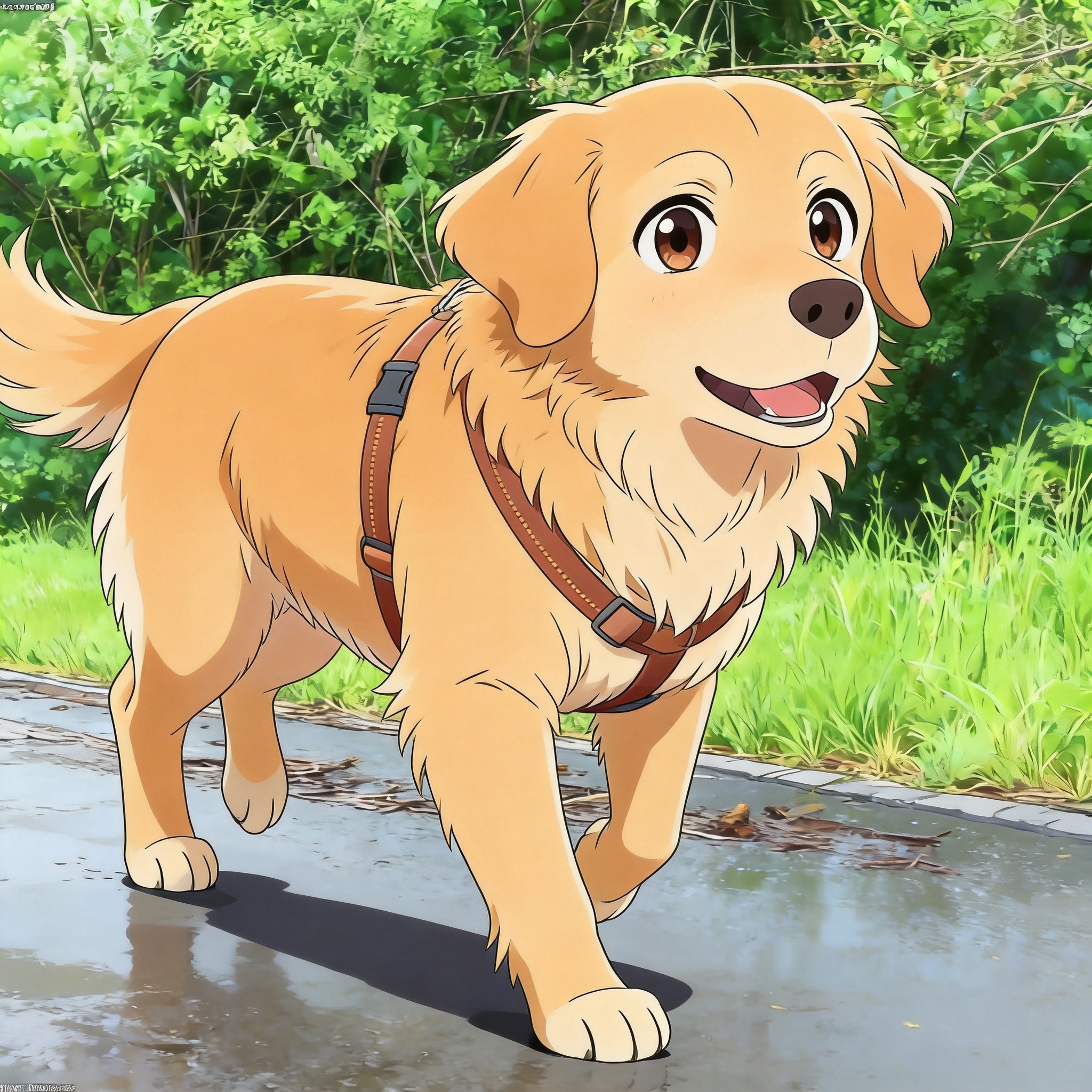
Why make a custom pet anime wallpaper
A pet anime wallpaper is a phone or desktop background generated from your own pet's photo rather than a stock landscape. The aspect ratio is the part that matters: a phone wallpaper needs 9:16 vertical (typically 1080x1920 or 1440x2560), while a desktop wallpaper wants 16:9 horizontal (1920x1080 or 2560x1440). Picking the right ratio at generation time avoids the warped, stretched look you get from forcing a square image to fill a tall screen.
The advantage over a generic anime wallpaper is recognition — when you unlock your phone, the markings on the cat or dog in the background are the same as the one asleep next to you. PetToAnime preserves coat pattern, ear shape, and eye color so the wallpaper still reads as your pet, just re-rendered in anime line work. For wallpapers specifically, soft Ghibli-style backgrounds and family-animation palettes tend to work better than high-contrast cel shading, because wallpapers sit behind icons and widgets all day.
For phone wallpapers, plan around the clock, lock-screen widgets, and the camera notch. A busy face in the top third gets clipped by the time display, so framing your pet in the lower 60% of the frame works better. Desktop wallpapers have the opposite problem: most icons sit on the left edge, so placing the subject on the right side keeps the wallpaper readable. Generation is about 20 seconds per image at HD, which is fast enough to try a few ratios and pick the best framing.
New accounts get 5 free credits at sign-up and the first wallpaper is free. After that, HD generation is 5 credits per image; the $5 for 50 credits pack is enough for a phone and desktop pair plus a couple of alternates.
One thing most users discover after living with a pet wallpaper for a week: high-contrast details near the corners of the screen compete with the time display, app icons, and widgets. If you find yourself squinting at the lock screen, regenerate with a softer background prompt ("soft out-of-focus meadow," "distant clouds," "blurry sunset gradient") and the same pet composition. Most owners settle on a final wallpaper after 2-3 iterations.
Related guides: Ghibli Style Pet Portraits, Family Animation Pet Portraits, Dog to Anime Guide.
Anime styles that work well as wallpapers
Ghibli Pet
Soft watercolor skies and gentle gradients sit behind icons without competing for attention. The signature warm palette is also easy on the eyes when the screen is unlocked dozens of times per day.
Family Pet
Bright, saturated colors and clean shapes read well on OLED phone screens where vivid palettes pop. Good default if you want the wallpaper to feel cheerful rather than muted.
Pixar 3D Pet
Glossy 3D rendering with depth-of-field background blur gives desktop wallpapers a cinematic, movie-poster feel. The blurred background keeps icons legible on top.
Anime Pet
Cel-shaded line art with a clean gradient background works well if you want a minimal wallpaper that does not fight with app icons or widgets.
How to make a pet anime wallpaper
- 1
Choose the target ratio first
Decide whether the wallpaper is for a phone (9:16 vertical) or a desktop (16:9 horizontal). Generating in the target ratio avoids warping when the OS stretches the image to fill the screen.
- 2
Pick a photo with room around the subject
Wallpapers need negative space for the clock, widgets, and icons. Choose a photo where your pet is off-center or has space on one side, so the AI has room to extend the scene.
- 3
Upload to PetToAnime and pick the ratio
Drag the photo in, then select 9:16 or 16:9 from the aspect ratio options. The generator will compose the scene to match the chosen ratio rather than cropping a square.
- 4
Write a scene-orienting prompt
For wallpapers, scene context matters: try "anime husky sitting in a sunlit field, soft clouds, warm afternoon light" rather than just "anime husky." Mention background elements explicitly so the AI knows what to render behind your pet.
- 5
Generate at HD (~20 seconds)
HD output is high enough for both 1080p and 1440p phone screens, and covers 1080p desktop. For 4K monitors you may want to upscale externally; the HD master holds up well for a 2x upscale.
- 6
Test on the actual device before saving
Airdrop or copy the image to your phone, set it as the wallpaper, and check whether the clock or notch clips your pet's face. If it does, regenerate with the subject repositioned in the prompt.
Tips for wallpapers that survive the home screen
- Place your pet off-center — phone clocks and notches live in the top third, desktop icons cluster on the left edge.
- Use soft, low-contrast backgrounds (sky, grass, gradient) so app icons and widgets stay readable on top.
- Pick 9:16 vertical for phones and 16:9 horizontal for desktops; generating in the right ratio avoids stretched, warped results.
- Avoid fine detail like dense foliage or busy patterns in the background — they look noisy behind a grid of app icons.
- Generate a phone and desktop pair from the same source photo with the same prompt so the two wallpapers feel like a set.
Frequently asked questions
What aspect ratio do I need for a phone wallpaper?+
Use 9:16 vertical. Common phone wallpaper resolutions are 1080x1920 and 1440x2560, both of which fit the 9:16 ratio. HD output from PetToAnime is high enough for these resolutions, so you can upload the file directly without resizing.
What aspect ratio do I need for a desktop wallpaper?+
Use 16:9 horizontal for most monitors (1920x1080 or 2560x1440). Ultrawide monitors use 21:9 — generate at 16:9 and let the OS crop, or generate a wider image and accept slight cropping on the sides.
How many credits does a pet anime wallpaper cost?+
HD generation is 5 credits per image. New accounts get 5 free credits at sign-up, and the first wallpaper is free. The $5 for 50 credits pack covers a phone wallpaper, a desktop wallpaper, and a few alternates to compare side by side.
Will the wallpaper look good behind app icons?+
Yes, if you pick a soft background style like Ghibli Pet or Family Pet and frame your pet off-center. Avoid styles with busy backgrounds or high-contrast detail in the upper-left quadrant, where most home screens place their primary app icons.
Can I make matching phone and desktop wallpapers?+
Yes. Run the same source photo and the same prompt twice, once at 9:16 for the phone and once at 16:9 for the desktop. The two outputs will share a palette and style but be composed correctly for each screen.
Is HD resolution enough for a 4K monitor?+
HD output covers up to 1440p cleanly. For a 4K monitor (3840x2160) the image still looks good but is technically upscaled; if pixel-level sharpness matters, generate at HD and run a 2x upscale in any standard image editor.
Generate your pet anime wallpaper
Pick 9:16 for phone or 16:9 for desktop, write a short scene prompt, and get an HD wallpaper in about 20 seconds. First try free.
Related use cases, styles & breeds
Explore more pet anime guides, styles, and breed-specific tips
PetToAnime
PetToAnime