Dog Breed Guide
Dog to Anime — How to Turn Any Dog Photo into an Anime Portrait
A practical guide to transforming dog photos into Japanese anime, Studio Ghibli, Pixar 3D, and family animation portraits — with breed-specific tips and photo prep advice.
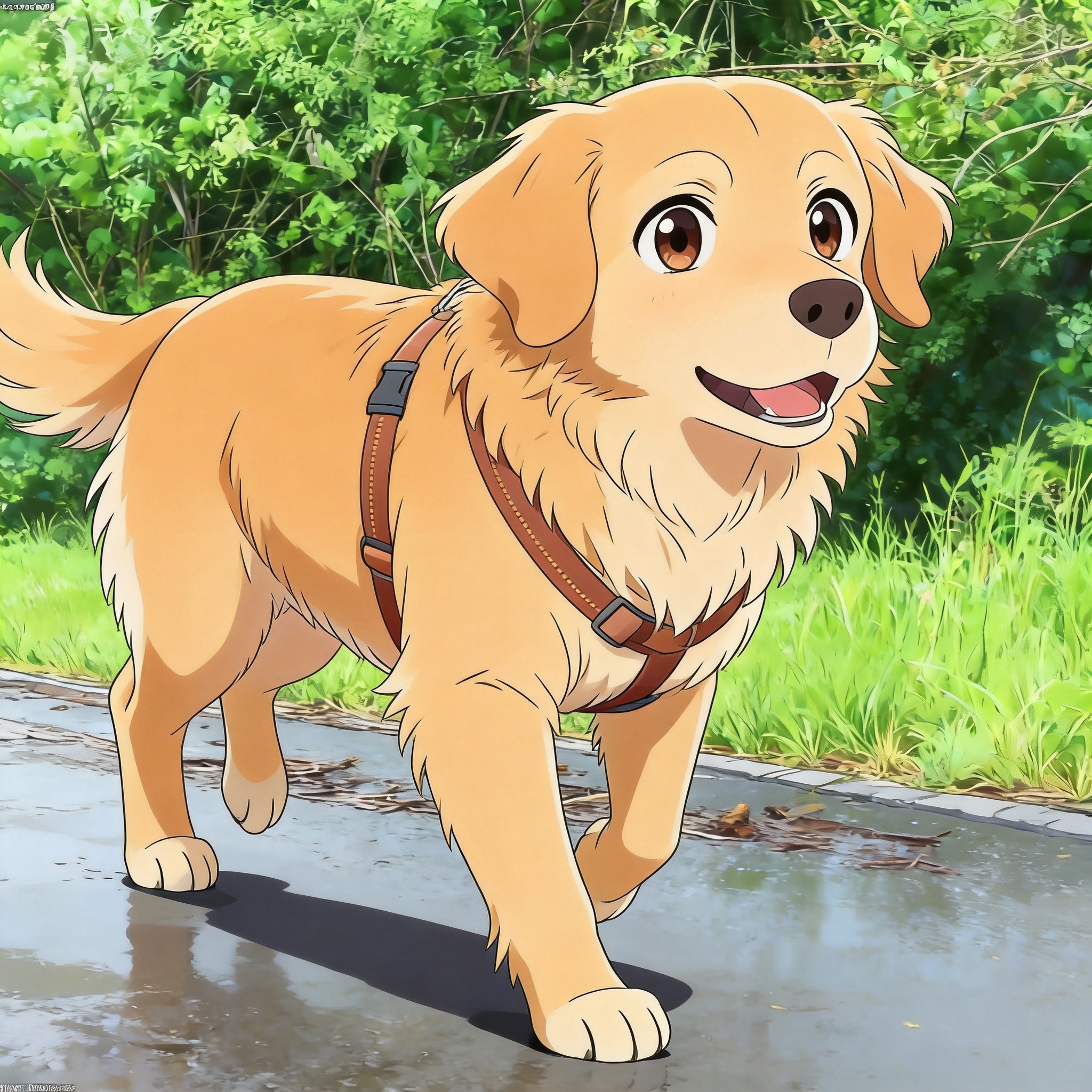
Why Dogs Make Reliable Anime Subjects
Dogs are the most common subject PetToAnime processes, and they translate into anime particularly well. Their expressive faces, distinct ear shapes, and recognizable coat patterns give the AI clear visual anchors to work with. A Golden Retriever's gold coat, a Husky's facial mask, or a Corgi's short legs each carry enough identity that the resulting anime portrait still reads as that specific dog rather than a generic canine.
The transformation works across breeds. Large breeds like German Shepherds render with the same level of detail as small breeds like Pomeranians and Dachshunds. The four supported styles each emphasize different aspects of the dog: anime style favors clean lines and vivid color blocks, Ghibli style adds watercolor warmth, Pixar 3D produces glossy studio-lit characters, and family animation leans into bright, friendly proportions.
Most dog photos complete in roughly 20 seconds. You upload one photo, pick a style, and the model returns four variations of that single image. Standard-resolution downloads are free for the first image; HD downloads start at 5 credits. New accounts get 5 free credits on signup, and additional credits come in packs of 50 for $5 or 150 for $15.
This guide covers general dog-to-anime tips, photo preparation, style selection, and the most common questions dog owners ask before trying PetToAnime. For breed-specific guidance, jump to Golden Retriever to Anime, Husky to Anime, or Corgi to Anime. For concrete results, browse the Examples gallery.
Why Dogs Translate Well to Anime
Recognizable silhouettes
Ear shapes (prick, drop, rose), tail types (curled, docked, saber), and body proportions vary enough between breeds that the AI can preserve breed identity in the anime output.
Expressive eyes
Anime style amplifies eye expression. Dogs' forward-facing eyes and visible pupils give the model a strong focal point to render emotion through.
Distinct coat colors
Solid coats (yellow, black, white), bi-color (Husky mask), and tricolor (Beagle, Bernese) each give the AI clear color anchors to reproduce rather than invent.
Wide breed variety
Over 190 AKC-recognized breeds plus mixed breeds means dog photos cover an enormous range of fur textures, body shapes, and markings — the model handles this variety consistently.
Established anime tradition
Dogs appear across anime history (Shiba Inu in Takagi-san, Huskies in adventure series, Retrievers in family films), so the model has strong reference patterns to draw from.
Best Anime Styles for Dog Photos
PetToAnime supports four styles — anime, Ghibli, Pixar 3D, and family animation. Each style suits this breed for different reasons.
Japanese anime
Cel-shaded lines and vivid color blocks define fur direction and breed markings sharply. Best for dogs with high-contrast coats like Huskies or tricolor breeds.
Studio Ghibli
Watercolor warmth softens fur edges and adds nostalgic lighting. Suits dogs with flowing coats like Golden Retrievers and rough-coated Collies.
Pixar 3D
Glossy studio lighting turns short-coated dogs into character-rig-like renders. Works well for Corgis, Bulldogs, and Pugs with distinct silhouettes.
Family animation
Bright friendly proportions and saturated colors. Suits expressive breeds like Shiba Inu and Beagles where personality reads through posture.
Real Dog-to-Anime Examples
The Examples gallery includes Golden Retrievers, Huskies, Corgis, Shibas, and Poodles across all four styles. Each example shows the original photo next to the anime output so you can judge how the AI handled fur texture, eye color, and breed-specific markings before uploading your own dog.
Photo Tips for Dog-to-Anime
- 1
Shoot at eye level with the dog, not from above. Eye-level photos preserve the dog's facial proportions and produce more accurate anime faces.
- 2
Use natural daylight when possible. Indoor lights tint fur yellow or blue; overcast outdoor light gives the most neutral color reference for the AI.
- 3
Frame a single dog per photo. Multiple dogs confuse the model about which subject to feature, and the resulting anime often blends their markings.
- 4
Keep the background simple. A plain wall, grass, or sky lets the AI focus processing on the dog rather than removing background clutter.
- 5
Make sure both ears and the tail are visible. These are key breed identifiers — cropping them out produces a generic anime dog instead of your breed.
Frequently Asked Questions
How long does dog-to-anime generation take?+
Most dog photos complete in roughly 20 seconds. You upload one image, pick a style, and the model returns four anime variations of that photo. Slow internet or very large source images can add a few seconds, but the AI processing itself is consistent.
Which dog breeds work with PetToAnime?+
All breeds work — Golden Retrievers, Huskies, Corgis, Poodles, German Shepherds, Shibas, Beagles, mixed breeds, and more. The model has seen enough breed variety in training that even rare breeds render with reasonable accuracy. Coat length and pattern complexity are the main factors in how detailed the result looks.
Is the first image really free?+
Yes. Standard-resolution downloads are free for the first image. HD downloads start at 5 credits, and new accounts receive 5 free credits on signup — enough to download one HD image without paying. Additional credits come in packs of 50 for $5 or 150 for $15.
Can I use the anime result commercially?+
Yes. PetToAnime grants you full usage rights to the generated images, including commercial use. You can print them on merchandise, use them as brand assets, or post them on monetized content. The original photo rights remain yours.
What if my dog has very dark or very light fur?+
Both work, but extreme fur colors need good lighting. Black dogs photographed in low light lose fur texture in the anime version; white dogs in bright sun blow out detail. Aim for soft, even lighting that preserves fur edges and shading.
Do puppy photos work as well as adult dog photos?+
Yes, and often with more expressive results. Puppy proportions (large head, short snout, big paws) translate naturally into anime style. Just make sure the photo is in focus and the puppy fills most of the frame.
Turn Your Dog into Anime
Upload one dog photo, pick a style, and get four anime variations in about 20 seconds. First image free.
Upload Your Dog PhotoRelated Breed & Style Guides
Explore more breed-specific guides and anime style references
PetToAnime
PetToAnime