PetToAnime Example
Shiba Inu Anime Example: Family Animation
A Shiba Inu reimagined in colorful family-animation style with bold outlines, bright saturated fur, and a sunny park backdrop.

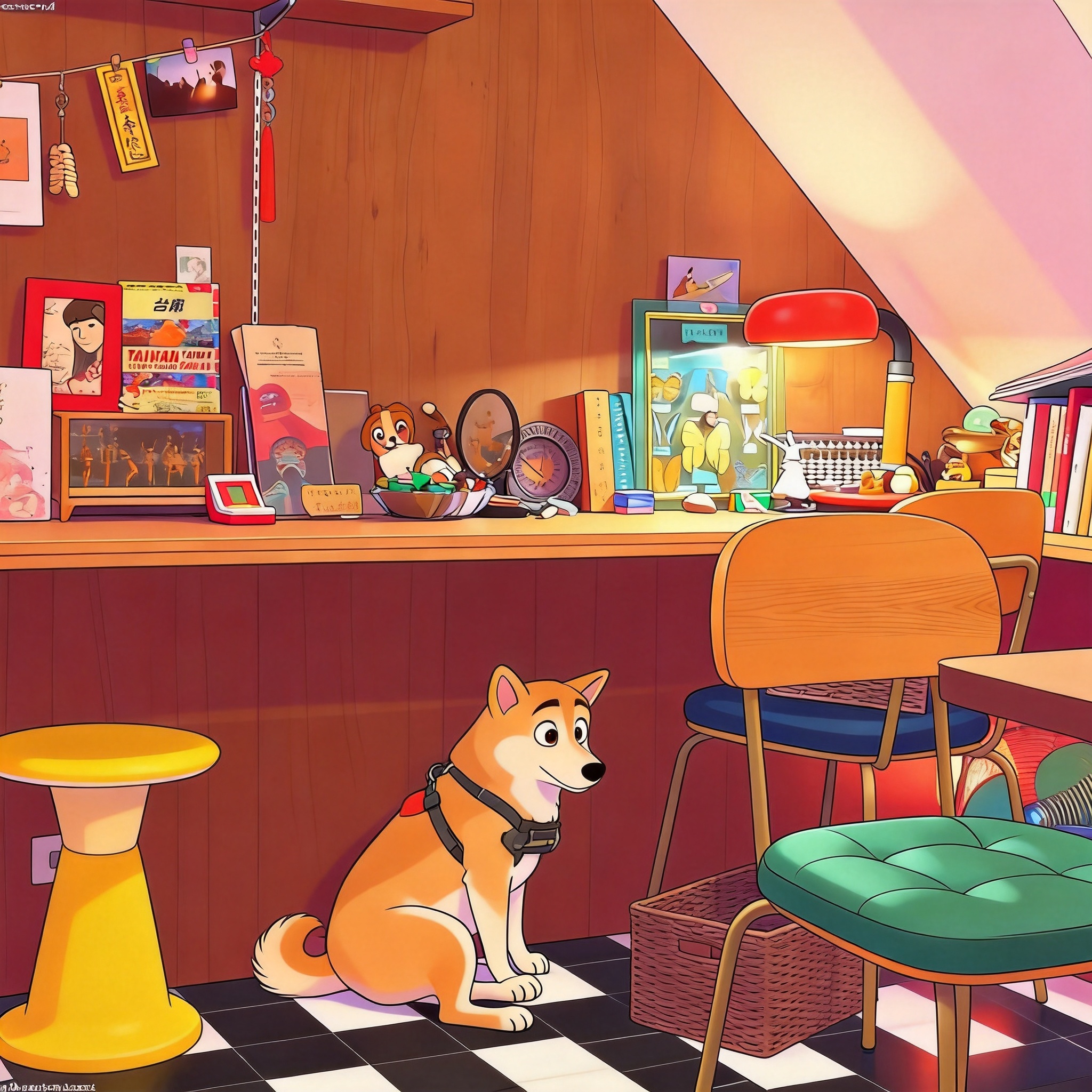
Hover the shiba inu case in the gallery to compare side-by-side. Generation took about 20 seconds.
Why Shiba Inus Thrive in Family Animation Style
Shiba Inus are the closest thing the dog world has to a built-in cartoon character — curled tail, foxy face, cream-to-red coat — and the before/after on this page shows what happens when those features meet family-animation style. The original photo captures a Shiba sitting alert in bright outdoor light, with the curled tail wrapped around the body and the breed's signature expression on full display. After processing, the same dog gains bold outlines, saturated fur tones, and a sunny park backdrop that reads as a frame from an animated feature.
The reason family-animation style works so well on Shibas is the breed's natural resemblance to Western animation mascots. The curled tail, triangular ears, and confident posture already look stylized in real life; family-animation amplifies that into clean shapes and bold color blocks. The breed's slightly aloof expression translates into the thoughtful, character-with-personality vibe that defines modern family-animation leads.
This page shows the exact AI prompt used for this Shiba example, breaks down why family-animation style suits the breed specifically, gives five photo tips for reproducing a similar result, and answers common questions about generating Shiba anime portraits. For comparison with another Japanese-origin breed, see the Corgi Anime Example.
How PetToAnime Turns Your Shiba Inu Into a Family-Animation Character
- 1
Upload one photo of your Shiba Inu
Upload a single clear photo from your phone or computer. A shot with the curled tail, triangular ears, and confident expression visible produces the best family-animation result, but any well-lit photo works — PetToAnime handles ordinary smartphone images, no professional equipment required.
- 2
AI analyzes the photo and applies family-animation style
PetToAnime's model identifies the Shiba Inu's key features — curled tail, foxy face, coat color, posture — and layers family-animation cues (bold outlines, bright saturated fur tones, sunny park backdrop) while preserving the dog's identity. Processing takes about 20 seconds.
- 3
Receive four style variations in parallel
The AI returns four style variations at once: anime, Ghibli, Pixar 3D, and family-animation. Each variation keeps your Shiba Inu's identity but applies a different visual language, so you can compare looks side by side and pick the one that suits your dog best.
- 4
Preview all four variations for free
Preview every variation at no cost before deciding which to download. The preview images are detailed enough to evaluate composition, eye expression, and style fidelity. Most users spot their favorite style within seconds of comparing the four results.
- 5
Download your favorite in HD
Download your chosen variation in HD (4K resolution, suitable for printing up to 8×10 inches). The first HD download of any image is free. Subsequent HD downloads cost 5 credits each — new accounts receive 5 free credits on signup, enough for one HD download.
Understanding Family Animation Style: Bold and Bright
Family animation style draws on the visual language of Western animated features — the look of studios like Blue Sky, Sony Pictures Animation, and Illumination. Unlike cel-shaded anime or painterly Ghibli, family-animation relies on bold outlines, saturated colors, and clean shapes that read clearly even at small sizes. Characters are designed with exaggerated but friendly proportions: oversized eyes, rounded bodies, simplified silhouettes. The result is a colorful, approachable look that reads instantly as "animated character" to Western audiences.
Outlines are the most distinctive feature of family-animation style. Thick black or dark-colored outlines wrap every shape, separating characters from backgrounds and giving the image a graphic, poster-like quality. Inside those outlines, colors are pushed toward vivid saturation — grass is brighter green, sky is brighter blue, fur is richer than reality. This saturation is what gives family-animation films their cheerful, larger-than-life mood. When PetToAnime applies family-animation style to a Shiba Inu, the breed's curled tail and foxy face are amplified by those bold outlines and saturated colors.
Character design in family-animation favors approachability over realism. Animals are drawn with friendly expressions, rounded features, and simplified anatomy that reads as "character" rather than "creature." For Shibas, whose natural curled tail, triangular ears, and confident posture already resemble Western animation mascots, this style is an especially natural fit. The result preserves the breed's distinctive silhouette while adding the cheerful, story-ready quality of a modern animated-film companion — exactly the look this example demonstrates.
The AI Prompt Behind This Shiba Inu Example
AI Prompt
Transform this Shiba Inu into a colorful family animation character with bold outlines, bright fur tones, and a sunny park background.
The prompt specifies "family animation character" rather than generic "anime" because family-animation style uses bold outlines and saturated colors rather than cel-shaded gradients. "Bright fur tones" tells the model to push the Shiba's cream-to-red coat toward vivid saturation, which is the genre's signature. "Sunny park background" anchors the scene in the kind of bright outdoor environment that family-animation films favor. The breed's curled tail and triangular ears need no special instruction — they're already in the photo and family-animation amplifies them as character-design features. See our Family Animation Pet Portraits guide for the underlying style breakdown.
Compare with the underlying style breakdown in our style guide or the breed-specific guide for Shiba Inu.
5 Photo Tips for a Shiba Inu Family-Animation Portrait
- 1
Shoot in full daylight to give the AI saturated fur color references. Cloudy light produces muted Shibas; bright sun produces the vivid red-and-cream tones family-animation style amplifies.
- 2
Catch the curled tail clearly in the frame. The curl is the breed's signature silhouette — a tail hidden under the body wastes the character-design impact.
- 3
Use a brightly colored background like green grass, autumn leaves, or a blue sky. Family-animation style draws on saturated environments; neutral backgrounds produce flatter results.
- 4
Get the Shiba alert and looking at the camera. The breed's confident, slightly aloof expression is its strongest character-design feature; a sleepy or distracted Shiba loses that.
- 5
Photograph from a slight low angle to emphasize the curled tail and upright posture. A high angle flattens the silhouette into a generic pet photo.
How This Shiba Inu Looks in Other Styles
Family-animation is the strongest fit for Shibas because their curled tail and foxy face already resemble Western animation mascots. In straight anime style, the same Shiba gains cel-shaded fur and a more graphic, manga-adjacent look. In Ghibli style, the breed softens into watercolor warmth and reads as a serene companion character. In Pixar 3D style, the Shiba gains dimensional fur volume and reads as a polished animated-film sidekick. For Shibas specifically, family-animation and anime both deliver excellent results; the choice depends on whether you want bold outlines or cel-shaded gradients. See the Maine Coon Anime Example for another family-animation case on a different species.
Frequently Asked Questions
How long does it take to generate a Shiba Inu family-animation portrait?+
PetToAnime generates a preview family-animation portrait in about 20 seconds. You upload one photo, and the AI returns four style variations in parallel (anime, Ghibli, Pixar, and family-animation). Preview generation is free; HD download costs 5 credits per image, with the first HD download of any image free.
Does family-animation style work on black-and-tan Shibas?+
Yes. Red, sesame, black-and-tan, and cream Shibas all translate well. Black-and-tan Shibas produce slightly higher-contrast family-animation portraits, which actually enhances the bold-outline look. Cream Shibas produce softer results but still gain the saturated background and character-design features the style is known for.
How many credits do I need for an HD Shiba portrait?+
Each HD download costs 5 credits. New accounts receive 5 free credits on signup — enough for one HD download — and the first HD download of any generated image is free. The Starter Pack ($5 for 50 credits) covers 10 HD downloads, and the Pro Pack ($15 for 150 credits) covers 30 HD downloads.
Will the family-animation portrait keep my Shiba's expression?+
Yes. PetToAnime preserves facial expression from the source photo. A confident Shiba produces a confident family-animation portrait; a curious Shiba produces a curious one. The style affects rendering (outlines, saturation, eye size) rather than the dog's underlying mood.
Can I generate a Shiba family-animation portrait with my child in the photo?+
PetToAnime is optimized for pet-only portraits. Photos with humans in frame may produce unpredictable results because the AI is trained to focus on the pet. For best results, crop the photo to feature only the Shiba before uploading.
Turn Your Shiba Inu Into a Family-Animation Character
Upload one photo and get four anime-style variations in 20 seconds. First HD download is free.
Upload Your Pet PhotoOr explore another example case
Related Examples & Styles
Explore more pet anime styles and breed guides
PetToAnime
PetToAnime